
Download Hue Party – Free Philips Hue Lighting Control Tool
Overview
Hue Party is a free software application designed to give Philips Hue owners a powerful, centralized hub for customizing every aspect of their smart lighting ecosystem. Whether you’re looking to create a mellow ambience for a movie night, energize a home workout with pulsating colors, or simply fine‑tune the brightness of a reading nook, Hue Party puts a full suite of controls at your fingertips. The app supports adjustment of brightness, hue, saturation, transition speed, and even dynamic scenes that react to music or timers. While the core app is free, the initial trial bundle includes control of two lights, allowing newcomers to explore the interface without any upfront cost. This makes Hue Party an ideal entry point for anyone curious about the potential of smart lighting, as well as a valuable add‑on for seasoned Hue enthusiasts who want deeper personalization beyond the standard Philips Hue app.
The design philosophy behind Hue Party is simplicity combined with depth. The UI is clean, with intuitive sliders and color wheels that respond instantly to user input, yet hidden under the surface are advanced parameters for power users. Because the app communicates directly with the Hue Bridge over your local network, there’s no reliance on cloud services, ensuring fast response times and a secure, offline experience. Additionally, Hue Party receives regular updates that expand compatibility with newer Hue products, introduce fresh preset scenes, and improve performance on all major operating systems.
Key Features
- Real‑time Brightness & Color Adjustment: Slide, tap, or type values for precise control of each light’s intensity and hue.
- Transition & Fade Controls: Set custom fade times ranging from instant changes to slow, cinematic transitions.
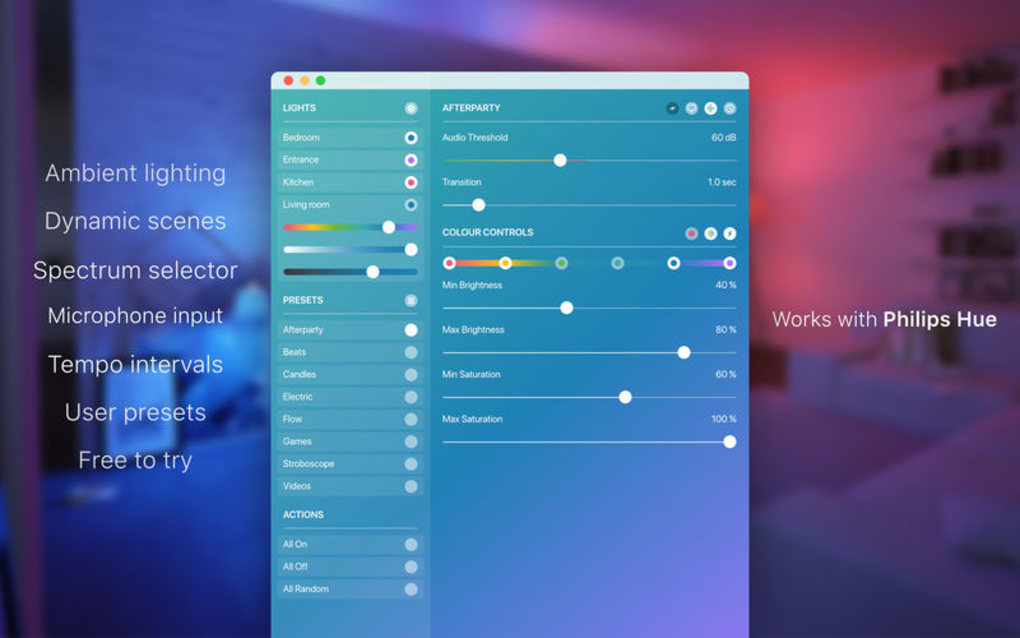
- Dynamic Scenes & Sync: Choose from pre‑built party, relaxation, and focus scenes, or sync lights to music beats using the built‑in audio analyzer.
- Multi‑Light Grouping: Organize lights into rooms, zones, or custom groups for coordinated color changes.
- Schedule & Automation: Create daily routines, sunrise/sunset triggers, or one‑off timers to automate lighting behavior.
- Free Trial Bundle: Control up to two Hue lights without purchasing additional licenses.
- Secure Local Communication: Operates over your home Wi‑Fi directly with the Hue Bridge, eliminating cloud latency.
- Cross‑Platform Support: Available for Windows, macOS, Android, and iOS with consistent feature parity.
- Regular Updates & Community Presets: Access new scene packs and community‑shared configurations via in‑app marketplace.
- Low‑Resource Footprint: Optimized to run smoothly on older hardware and mobile devices.
Beyond the listed features, Hue Party excels at providing a cohesive experience that bridges the gap between basic on/off control and full‑blown lighting design. For example, the saturation slider lets you dial in exactly how vivid a color should appear, while the “temperature” mode lets you shift white light between warm sunrise tones and cool daylight. The app also includes an “export” function, enabling you to save a favorite configuration and import it later on another device—perfect for replicating a party atmosphere across multiple homes or venues.
Installation & Usage Guide
Downloading the App
To start, visit the official Hue Party website or your device’s app store. Choose the version that matches your operating system—Windows (.exe), macOS (.dmg), Android (Google Play), or iOS (App Store). Click “Download” and follow the on‑screen prompts. The installer is lightweight (under 30 MB) and does not require additional runtimes, making the setup process straightforward for both novice and advanced users.
Initial Setup
After installation, launch Hue Party. The first screen will request permission to access your local network; grant this to enable communication with the Hue Bridge. The app automatically scans for a Hue Bridge on the same subnet. If multiple bridges are detected, select the one you wish to control. You’ll be prompted to press the physical link button on the bridge to authorize the app—this one‑time step ensures secure pairing.
Connecting Lights
Once paired, Hue Party imports all lights and groups already configured in the official Hue app. For the free trial bundle, you can immediately start adjusting the two lights that come with the trial. To add more lights, simply press the “Add Light” button, and the app will discover any unpaired Hue bulbs within range. Follow the on‑screen instructions to complete the pairing process.
Using the Interface
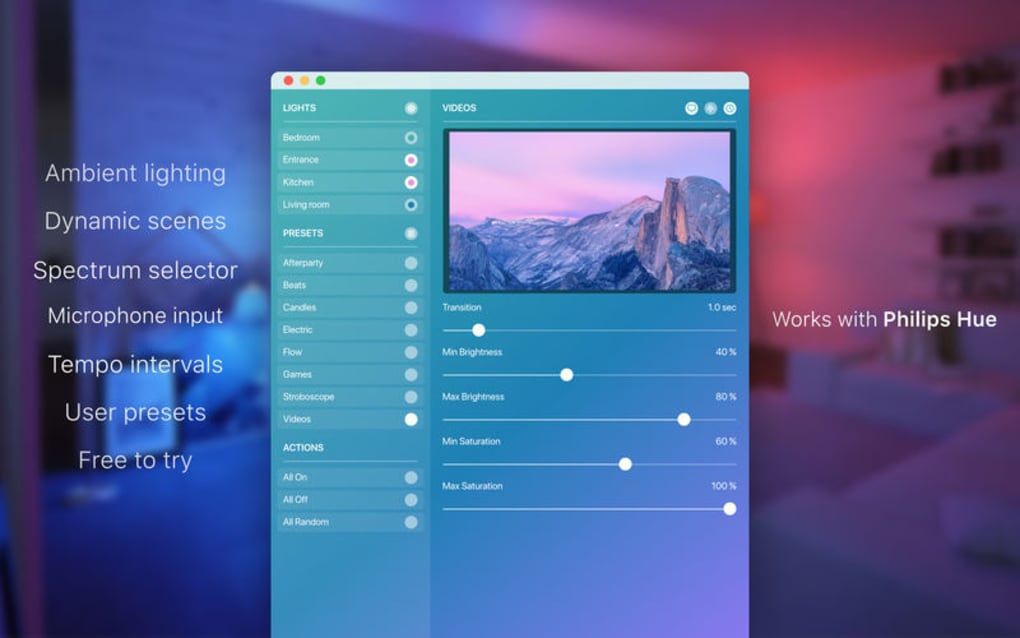
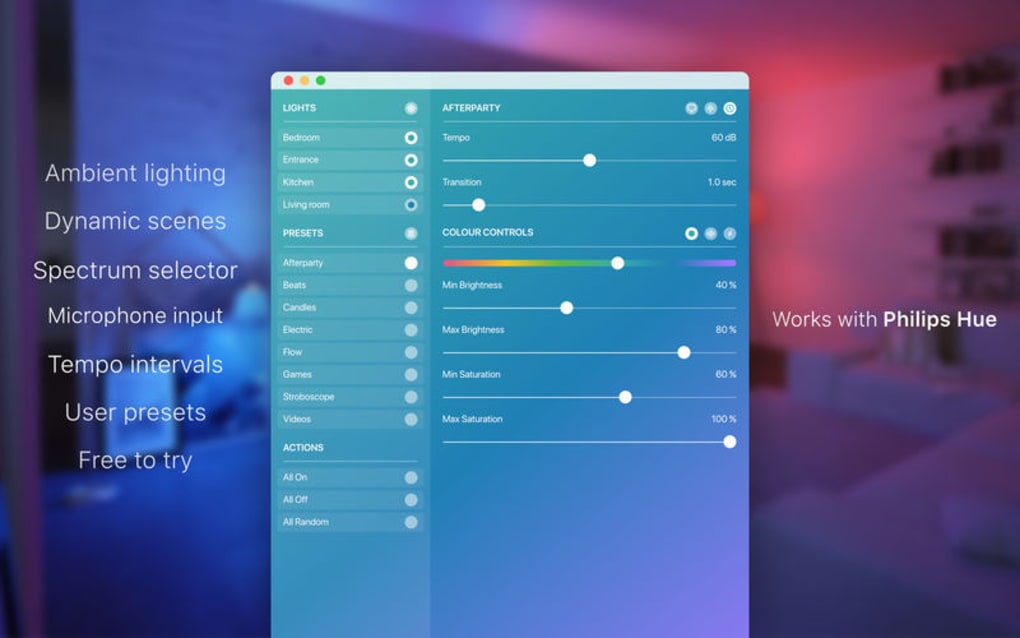
The main dashboard displays a visual representation of each room or group. Clicking a light opens a control pane with sliders for brightness, hue, saturation, and transition speed. For advanced scenes, navigate to the “Scenes” tab, where you can select a preset or craft a custom one by adjusting multiple lights simultaneously. The “Schedule” section lets you create timers or recurring events; simply choose a time, select the target lights, and define the desired state.
Troubleshooting Common Issues
If the app cannot find your bridge, verify that your device is on the same Wi‑Fi network as the bridge and that any firewall settings allow local traffic on port 80/443. Should a light fail to respond, try resetting the bulb (turn it off for five seconds and back on) and re‑sync from the app. For performance hiccups, ensure you are running the latest version of Hue Party, as updates often include optimizations for newer OS releases.
Compatibility, Pros & Cons
Hue Party is built to run natively on the most popular operating systems. The Windows version supports Windows 10 and later, the macOS build works on macOS 11 (Big Sur) and newer, while the Android app requires Android 6.0 (Marshmallow) or higher, and the iOS version is compatible with iOS 13+. This broad compatibility ensures that whether you’re on a desktop workstation, a MacBook, a tablet, or a smartphone, you can control your Hue lights without switching platforms.
Pros
- Completely free trial with control of two lights—ideal for testing before committing.
- Rich feature set that rivals paid lighting apps, including custom transitions and music sync.
- Local, secure communication eliminates reliance on external servers.
- Cross‑platform consistency means you learn the UI once and use it everywhere.
- Regular updates add new scenes, improve stability, and expand device support.
Cons
- Full functionality (control of more than two lights) requires a paid upgrade.
- Some advanced automation features are only available on desktop versions.
- Initial bridge pairing can be confusing for users unfamiliar with network settings.
- No native integration with voice assistants (e.g., Alexa, Google Assistant) out of the box.
- While the app is lightweight, older smartphones may experience minor lag during rapid scene changes.
Frequently Asked Questions
Can I use Hue Party with lights from brands other than Philips Hue?
Hue Party is specifically designed for the Philips Hue ecosystem and communicates through the Hue Bridge. It does not support lights that use different bridges or protocols such as LIFX or TP-Link Kasa.
Is the free trial limited to two lights permanently?
The free trial lets you control up to two lights indefinitely. To manage additional lights, you’ll need to purchase the full license, which unlocks unlimited device support.
Do I need an internet connection to use Hue Party?
No. Hue Party operates over your local Wi‑Fi network and talks directly to the Hue Bridge. An internet connection is only required for downloading updates or accessing the in‑app marketplace.
How often are updates released?
The development team releases minor updates roughly every 4–6 weeks, focusing on bug fixes and performance tweaks. Major feature releases occur approximately twice a year.
Can I export my custom scenes to another device?
Yes. Hue Party includes an export/import function that saves scene configurations as JSON files. You can transfer these files to any other device running Hue Party and import them with a single tap.
Conclusion & Call to Action
Hue Party stands out as a feature‑rich, secure, and user‑friendly solution for anyone looking to elevate their Philips Hue experience without breaking the bank. The free trial gives you a risk‑free opportunity to explore deep customization, while the paid version unlocks the full potential of multi‑light orchestration. Whether you’re a casual homeowner, a tech‑savvy enthusiast, or a professional event organizer, Hue Party provides the tools to craft the perfect lighting narrative for any occasion.
Ready to transform your home lighting? USD 0.00 – Download Hue Party now and start experimenting with color, brightness, and dynamic scenes today. Your perfect lighting party is just a click away.
Pros: Free trial, extensive customization, local control.
Cons: Full version requires purchase, limited voice assistant integration.







